INSTRUCTIONS, PROCEDURES AND POLICY
A memo can be misread and the day goes on. A procedure that is misread stops a line, spoils a batch, or sends the wrong specimen to the wrong bench. Instructions, procedures and policies are the documents people use while their hands are busy, their pulse is up, and nobody has time to read you charitably. That changes the writing. Sentences shorten. Verbs move to the front. Every condition gets stated before the action it governs, because a reader who has already acted cannot un-act. Here the operational document is treated as a designed object with parts that each do one job: a scope that tells readers whether this is for them, prerequisites that stop a doomed attempt at minute zero, numbered steps holding exactly one action apiece, warnings placed where the hand is, and a verification step that says you are done. You will draft steps, repair bad ones, build a decision table, write a hazard message, and choose between must and should on purpose.
By the end of this chapter you can
- Distinguish policy, procedure, work instruction, protocol and guideline, and choose the right form when someone hands you a vague request.
- Run a task analysis by observing the work, and convert your notes into a defensible step list.
- Build the scaffolding a reader needs before step 1: purpose, scope, prerequisites, materials, roles and estimated time.
- Write steps in the imperative mood with one action per step and location before action.
- Convert branching prose into a decision table or a properly formed conditional step.
- Apply the signal word hierarchy — DANGER, WARNING, CAUTION, NOTICE — and write a three-part hazard message.
- Place hazard information correctly and explain why warnings sit near the bottom of the hierarchy of controls.
- Select modal verbs deliberately to set obligation, and draft a policy with scope, responsibilities, exceptions and a revision history.
- Run a usability field test with a real user and revise from what you observed rather than what you assumed.
Section 1Three Different Jobs: Instructions, Procedures, Policy
What each document promises
People use these words loosely, and the looseness costs money. A policy states what the organization requires and why: it is a rule with authority behind it. A procedure states who does what, in what order, to satisfy that rule. A work instruction — often just called instructions — drops all the way down to one task at one machine or one screen for one person. A protocol is a pre-authorized sequence that fires when a defined condition appears, which is why protocols carry standing-order force in clinical and laboratory settings. A guideline recommends rather than requires, and it exists precisely because judgment is supposed to happen.
The practical test is not the label on the file. It is the question the reader is holding when they open it. Someone asking “am I allowed to?” needs policy. Someone asking “whose job is this and what happens next?” needs a procedure. Someone standing at the machine asking “which button, in what order?” needs instructions. If one document tries to answer all three questions, it answers none of them well, and it becomes impossible to revise: change a screen label and you now have to route the whole governance document back through an approval committee.
| Document | The reader’s question | Typical size | Binding force |
|---|---|---|---|
| Policy | What are we required to do, and why? | 1–3 pages | Mandatory; approved at leadership level |
| Procedure (SOP) | Who does what, in what order? | 2–8 pages | Mandatory for the named roles |
| Work instruction | Exactly how do I do this one task? | 1–2 pages or one card | Mandatory where method is controlled |
| Protocol | When condition X appears, what is pre-authorized? | Varies | Mandatory once triggered |
| Guideline | What is recommended when I must judge? | Varies | Advisory; deviation allowed, usually documented |
Watch what happens with a real request. A manager says, “Write something up about badge access.” That single sentence hides three documents. The policy sentence is: Every person on site must display a current photo badge at all times; badges must not be shared or loaned. The procedure answers who issues badges, who approves contractor access, and what Security does when a badge is reported lost. The work instruction is the half-page card taped beside the badge printer that tells the front-desk coordinator which template to load. Ask the manager which of the three is actually on fire this week, write that one, and name the other two as follow-on work.
Task analysis: watch before you write
Task analysis is the unglamorous work that separates a usable procedure from a plausible one. You go where the task happens, you watch a competent person do it once without interrupting, and you watch a newer person do it once while asking them to think aloud. You write down every observable action, every decision point, every tool touched, and — the gold — every place where the experienced person improvised around something the official document does not mention.
Granularity matters. Write at the level of an action a stranger could see you perform. “Prepare the sample” is not a step; it is a heading. “Pipette 200 microliters of buffer into each well” is a step. If your note could be performed correctly in three different ways, it is still a heading and needs to be broken down. If your note takes under a second and requires no decision, you have probably gone too fine and can merge it.
Here is what a raw observation log looks like on the way to becoming steps. Observed: tech walks to fridge, checks a printed sheet on the door, pulls tray, notices tray is warm, puts it back, texts supervisor, waits. That single sequence tells you three things the draft procedure was missing: a temperature-check step exists in practice but not on paper, there is a decision point with no written branch, and the escalation path is a personal phone number rather than a role. All three become text. The improvisations you catch during observation are usually the most valuable content in the finished document, because they are the parts nobody thought to tell you.
Writing for someone who is already in trouble
Assume your reader is not reading. Research on documentation use has been consistent for decades — John Carroll’s work on minimalism at IBM, published as The Nurnberg Funnel in 1990, made the case bluntly — that people skip the introduction, jump to the step that looks like their problem, act, and come back only when something breaks. Minimalism argues that documentation should be action-oriented from the first line, should let readers start doing real work immediately, and should invest heavily in helping them recognize and recover from errors. Not everyone accepts minimalism wholesale; some regulated environments require completeness that minimalism would trim. But the underlying observation about reader behavior is not seriously disputed.
So write for interruption. Make each step survivable out of context. Repeat the critical identifier rather than saying “the same one as above.” Put the condition in front of the action. Assume the reader has one hand free, a phone in the other, and a supervisor asking how long this will take. And describe the conditions of use honestly in your own planning notes: is this read at a desk or over a sink, on a phone screen or a laminated card, once a year or forty times a shift? A procedure read forty times a shift should be short and scannable; a procedure read once a year should be more explicit, because nobody remembers.
Decide which question your reader is holding — am I allowed to, whose job is it, or which button — and write the one document that answers it, built from what you actually observed rather than what you assumed.
Section 2The Anatomy of a Usable Instruction Set
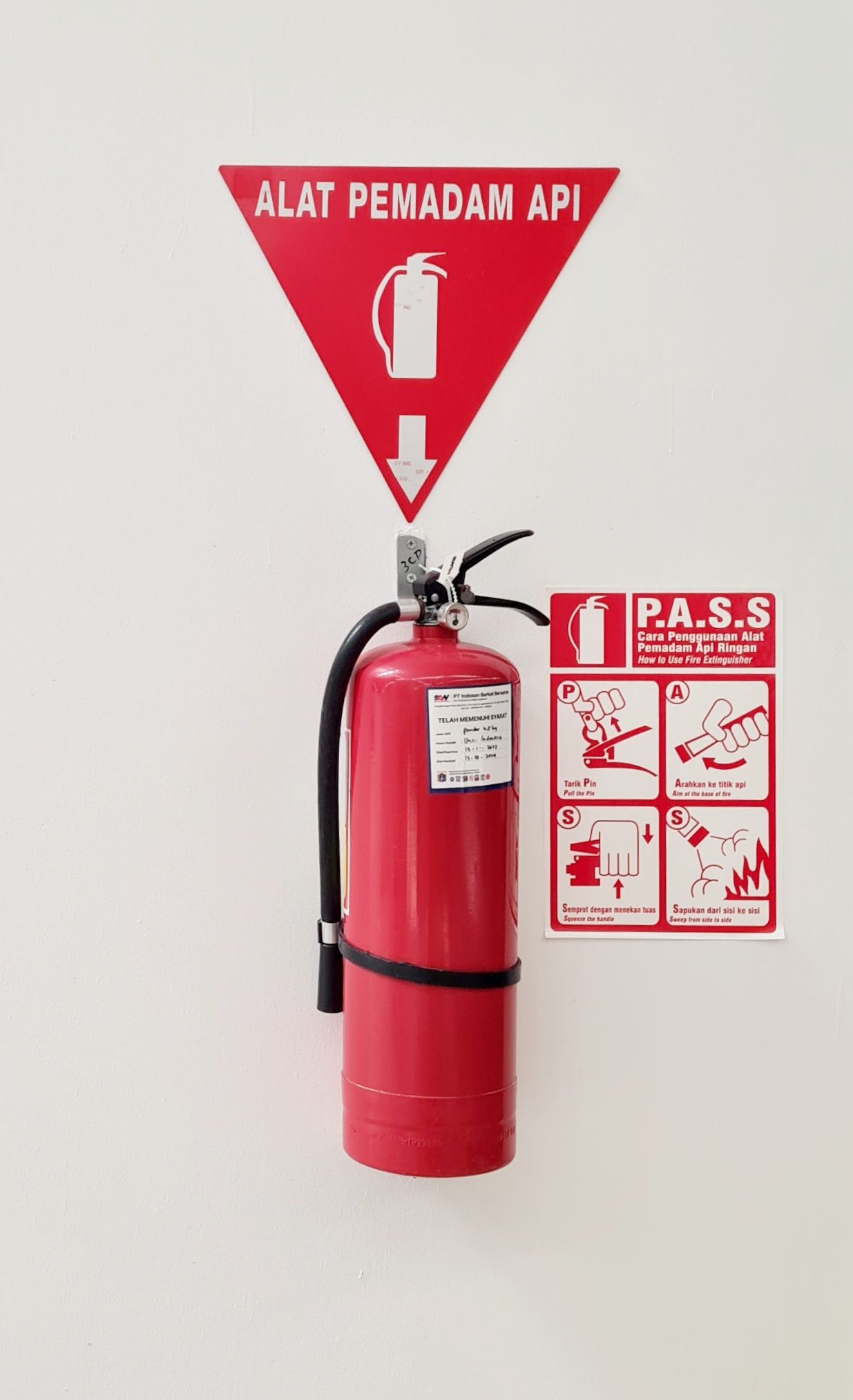
The scaffolding readers need before step 1
Before the first numbered action, a competent instruction set answers five questions fast: what is this for, who is it for, what must already be true, what do I need in my hands, and how long will this take. Skip them and readers discover the missing piece at step 9, when abandoning the task is expensive. The purpose line says what the task accomplishes. The scope statement says who performs it and under what circumstances — and, when it matters, who must not. Prerequisites are the conditions that must already be true. Materials are the physical or digital things to gather. Estimated time lets a reader decide whether to start now or after handoff.
| Element | Question it answers | Weak version | Strong version |
|---|---|---|---|
| Title | What task is this? | Specimen Handling | Label and Transport a Blood Specimen to the Laboratory |
| Purpose | Why does this exist? | To ensure quality. | To ensure every specimen reaching the lab can be matched to exactly one patient. |
| Scope | Is this for me? | For all staff. | For phlebotomists and nursing staff on inpatient units. Does not cover point-of-care testing. |
| Prerequisites | What must be true first? | Be trained. | You have completed specimen-collection competency within the last 12 months and have an active scanner login. |
| Materials | What do I gather? | Necessary supplies. | Handheld scanner, printed requisition, transport bag, gloves. |
| Time | Can I start now? | — | About 4 minutes per specimen. |
Notice how much of the weak column is not wrong, merely useless. “For all staff” is technically true and operationally empty; the reader still does not know whether the outpatient lab is covered. “Be trained” cannot be checked. A prerequisite you cannot verify in five seconds is decoration.
Steps, chunks and numbering
Number anything that must happen in order. Use bullets only when order genuinely does not matter, because a numbered list makes an implicit promise about sequence that readers will keep even when you did not mean it. Sub-steps get letters and stay rare; if you find yourself at a third level of nesting, the task is really two tasks. Many style guides suggest keeping a run of steps to roughly seven to ten before inserting a stage heading, and the reason is practical rather than mystical: a reader who looks away at step 14 of 26 has to re-find their place in an undifferentiated column of numbers.
Here is a short model card. Read the third column, because that is where the craft lives.
| Step | Text as written | Why it is written that way |
|---|---|---|
| 1 | Ask the patient to state their full name and date of birth. | Open question, not “Are you Mr. Ortiz?” — a leading question invites a reflexive yes. |
| 2 | Compare what the patient said with the wristband and the requisition. | Checks the two identifiers from step 1 against both written sources; room number is never an identifier. |
| 3 | If any element does not match, stop. Do not collect. Notify the charge nurse. | The branch appears at the moment of the discrepancy, not in a footnote. |
| 4 | Scan the wristband barcode. | One action, one step. |
| 5 | Collect the specimen. | Deliberately a pointer, not a procedure — collection technique lives in its own document. |
| 6 | Label the tube at the bedside, before leaving the room. | The location constraint is inside the step because it is the whole point of the step. |
| 7 | Confirm the printed label shows the patient name, date of birth, and collection time. | Verification: the reader can now see they succeeded. |
Two details are doing quiet work. Step 3 sits exactly where the discrepancy is discovered, so a reader following the sequence physically cannot reach the needle without passing the stop. And step 5 refuses to expand. Cross-reference rather than duplicate; duplicated content is content that will eventually disagree with itself, and the day the two versions disagree is the day someone gets hurt and both documents get subpoenaed.
Verification, troubleshooting and the end of the task
Every instruction set needs an ending the reader can recognize. A verification step describes the observable state that means success: the label prints with a barcode and a legible timestamp, the pump display reads READY, the ticket status changes to Submitted. Without it, readers invent their own finish line, and their invented finish line is usually the last thing that felt satisfying rather than the last thing that mattered.
Then plan for failure, because failure is the normal case. A short troubleshooting block — symptom, likely cause, what to do — is often the most-used part of the whole document. Write symptoms in the reader’s words, not the engineer’s: readers search for “the screen went black,” not “display driver timeout.” And give every dead end a named exit. “Contact IT” is a dead end; “Call the service desk at extension 4400 and quote error code E-12” is an exit. Where the exit is a person, name the role, never the individual, or the document expires the day Marisol changes teams.
An instruction set is scaffolding plus sequence plus proof: tell readers whether this is for them and what they need, give them one clean action at a time, and end with something observable that means they are finished.
Section 3Writing the Step Itself
One action, one step, one imperative verb
The default sentence pattern for a step is the imperative mood: a command with the subject “you” understood. Close the lid. Press START. Enter the lot number. Not “the technician should close the lid,” which describes someone else’s behavior, and not “the lid is then closed,” which describes physics. Passive voice has legitimate uses elsewhere in professional writing; inside a numbered step it is almost always a defect, because it hides the one thing a step exists to reveal, namely who moves.
The single most reliable defect detector in step writing is the word and. “Close the lid and press start” is two actions in one number, which means a reader interrupted between them has no way to record where they stopped. Split it. The same applies to then, while, and the semicolon. A step should contain one thing you could tick off. Occasionally two micro-actions are so tightly bound that splitting them is silly — “Sign and date the form” — and you may keep them together; the test is whether stopping between them is a coherent state.
| Weak step | Revised | Principle |
|---|---|---|
| The technician should then make sure the centrifuge lid is closed and press the start button. | 5. Close the centrifuge lid. 6. Press START. | Imperative, not “should”; one action per step. |
| Log in to the portal (it is on the intranet under Tools, and note that passwords expire every 90 days) and open the request form. | 3. On the intranet, open Tools → Staffing Portal. 4. Sign in. 5. Select New Request. | Location before action; background moves out of the step. |
| Enter the appropriate amount of solution. | 2. Add 25 mL of buffer to the reservoir. | Replace vague quantifiers with a number and a unit. |
| Do not forget to scan the wristband before you scan the specimen label. | 4. Scan the patient wristband. 5. Scan the specimen label. | Order is expressed by sequence, not by warning readers about their memory. |
| Once the form has been completed by the requester, it is routed to the supervisor for approval. | 6. Complete all required fields. 7. Select Submit. The form routes to your supervisor. | Separate what the reader does from what the system does; never number a system action as a step. |
| Be careful with the hot plate. | WARNING — Hot surface, up to 400°C. Contact causes severe burns. Wear heat-resistant gloves. 8. Lift the flask from the hot plate. | Hazard information belongs before the step, in a fixed format. |
Location before action, state before command
Software documentation conventions settled this one a long time ago, and the reasoning generalizes far beyond screens: name where the reader must be, then what to do there. “On the File menu, select Export” beats “Select Export from the File menu,” because the reader’s eyes travel to the menu while reading the first three words instead of hunting after the fact. The same holds physically: “At the wall panel, turn the isolation valve clockwise” sends the body to the right place before the hand is told to move.
Related, and more important for safety: state conditions before commands. If the reading is above 40 psi, close the valve is safe. Close the valve if the reading is above 40 psi is not, because a scanning reader gets the instruction to close the valve before learning that it was conditional. This is a small syntactic choice that produces a large behavioral difference, and it is one of the few places where a rule about word order genuinely prevents harm.
One more habit: put the expected result inline when it is quick, on its own line when it matters. “7. Press START. The drum spins up and the display reads RUNNING.” The reader now has a checkpoint. If the display reads anything else, they know something is wrong at step 7 rather than at step 19.
Conditions, branches and decision tables
Prose handles one condition gracefully and two conditions badly. Once a task branches on more than one variable, sentences full of if, unless and except when become a puzzle the reader must solve before acting. A decision table converts that puzzle into lookup. Readers scan the left column for their situation and read across. Nothing has to be held in working memory, which is exactly the resource that disappears under pressure.
| If you find… | Then do this | And document |
|---|---|---|
| Name and date of birth match the wristband and requisition | Place the specimen in the transport bag and send it to the laboratory | Collection time and your initials in the log |
| Name matches, date of birth does not | Stop. Do not send. Verify identity with the patient and a second staff member, then recollect | Discrepancy note in the collection log |
| No label at all, and the specimen can be recollected | Discard per the waste policy and recollect | Incident report within 24 hours |
| Label is missing or wrong, and the specimen cannot be recollected | Do not discard. Contact the laboratory supervisor before taking any further action | Supervisor name, time of call, and instructions received |
That last row is the one novice writers omit, and it is the row that matters most. Rules written only for the ordinary case force people to improvise in exactly the situation where improvisation is most dangerous. When you write a rule, ask what happens when following it is impossible or would cause a worse outcome, and write that row too.
What does not belong in a step
Three things routinely smuggle themselves into step lists and should be evicted. First, rationale. Readers do want to know why, but they want it after the action or in a short note, not embedded in the sentence they are trying to execute. Second, background and history — “since the 2019 upgrade, the system no longer requires…” is a note, not a step. Third, hedging. “Generally, you would normally want to select Continue” leaves a reader genuinely unsure whether to click. If discretion is real, say so plainly and give the criterion: “Select Continue unless the batch total exceeds 500 units; in that case, select Hold.”
Finally, negatives. A step phrased as a prohibition tells the reader what not to do without telling them what to do instead, and under load people often act on the verb they read while dropping the “not.” Convert prohibitions into positive actions wherever you can, and reserve genuine prohibitions for hazard messages where they get formatting that makes them impossible to miss.
A good step is one imperative action with its location and its condition stated first, its result observable, and nothing else — no rationale, no history, no hedging — riding along inside it.
Section 4Warnings, Cautions and the Cost of Silence
The signal-word hierarchy
North American practice for safety signs and product safety labels follows the ANSI Z535 family of standards, with close international counterparts in ISO 3864. Z535.4 governs labels on products; Z535.6 governs safety messages inside manuals and instructions, which is the part that concerns you here. The system is worth learning because it is genuinely standardized: a reader who has seen one compliant label can grade the severity of a hazard from across a room. Four signal words do the grading, and three of them are paired with the safety alert symbol, the triangle enclosing an exclamation mark, which specifically means “risk of personal injury.”
| Signal word | Standard meaning | Safety alert symbol | Example |
|---|---|---|---|
| DANGER | Hazard that, if not avoided, will result in death or serious injury. Reserved for extreme situations. | Yes | DANGER — Live 480 V terminals. Contact causes electrocution. De-energize and lock out before opening. |
| WARNING | Hazard that, if not avoided, could result in death or serious injury. | Yes | WARNING — Rotating blade. Contact causes severed fingers. Stop the motor and wait for the blade to stop before clearing a jam. |
| CAUTION | Hazard that, if not avoided, could result in minor or moderate injury. | Yes | CAUTION — Wet floor. Slipping causes bruises and sprains. Walk on the matted path. |
| NOTICE | Practices not related to personal injury — property damage, data loss, equipment harm. | No | NOTICE — Removing the drive during a write cycle corrupts the file. Eject before removal. |
Two errors are common. Writers reach for DANGER because the situation feels serious to them, which inflates the scale and trains readers to discount it. And writers use CAUTION for equipment damage, which the standard assigns to NOTICE; keeping that boundary clean means the safety alert symbol always and only signals bodily risk. Grade honestly. A hierarchy only functions if the top of it is rare.
Anatomy of a hazard message
A usable hazard message contains three components: the hazard itself, the consequence of not avoiding it, and the avoidance — the specific action that prevents it. Miss any one and the message underperforms. “Caution: hot” names a hazard but leaves consequence and avoidance to the imagination. “Be careful” names nothing at all and functions mainly as a legal shrug.
Watch a real revision. Before: Warning! Use caution when handling this chemical as it may be dangerous. That sentence has a signal word, an intensifier, and no information. After: WARNING — Concentrated sulfuric acid. Skin contact causes severe chemical burns. Wear butyl rubber gloves and a face shield; work in the fume hood. A dozen words longer, and an entirely different document. The reader now knows what the threat is, what it does to a body, and exactly what to do about it — and if they are already injured, the consequence line tells the person treating them what happened.
Keep hazard messages short enough to be read at a glance, and keep the phrasing stable across the whole document set. If one page says “wear eye protection” and the next says “approved safety eyewear is required in this area,” readers will reasonably wonder whether two different requirements are in play. Consistency is not fussiness here; inconsistency in safety language reads as ambiguity, and ambiguity is what people resolve in whatever direction is fastest.
Placement, prominence and the limits of warning
Placement follows one rule: the warning goes immediately before the step it governs, on the same screen or page, where the reader meets it before the hand moves. A warnings section collected at the front of the manual satisfies a compliance checkbox and almost nothing else, because the reader who most needs it is at step 12 and started reading at step 8. If a hazard applies throughout, state it in the front matter and repeat it at each point of exposure. Redundancy is cheap; burns are not.
Prominence should scale with severity but must never depend on color alone, since color is unavailable to some readers and to anyone holding a photocopy. Use the signal word, a border, bold weight, and generous white space. And keep the number of warnings under control: a page carrying nine warnings has effectively none, because readers habituate. If everything is urgent, urgency stops meaning anything.
Grade the hazard honestly with a standard signal word, state hazard, consequence and avoidance in that order, place it immediately before the step it governs — and remember that a warning is what you write when you could not engineer the danger away.
Section 5Policy and the Language of Obligation
The parts of a policy
A policy is short by design. Its job is to state a requirement and locate authority, not to describe work. A conventional structure runs: title and identifier; purpose; scope; definitions; the policy statements themselves; responsibilities by role; exceptions and how to request one; related documents; and the control block carrying owner, approver, effective date, review date and revision history. Nothing exotic, but each part fails loudly when omitted.
Write policy statements as numbered assertions, each one testable. A statement you cannot audit is an aspiration. Compare: Staff will maintain appropriate confidentiality of patient information at all times. That cannot be audited — “appropriate” is the reader’s guess. Now: 1. Workforce members must access patient records only when required for their assigned duties. 2. Workforce members must lock any unattended workstation displaying patient information. 3. Workforce members must not transmit patient information from personal email accounts. Three sentences, three auditable behaviors, three things a manager can coach against. The vague version is not gentler; it simply moves the burden of interpretation onto the person with the least authority.
Must, should, may: choosing the modal on purpose
Modal verbs are the load-bearing words in policy, and swapping one for another changes the legal and operational meaning of the sentence. Choose them consciously, define them in the policy’s definitions section, and then use them consistently across every document you own.
| Word | What it signals | Use it for | Trap |
|---|---|---|---|
| must | Requirement; no discretion | Rules you will actually enforce | Do not use it for advice you have no intention of auditing |
| must not | Prohibition | Actions never permitted | Do not write “may not” here — it collides with permission |
| should | Recommendation; deviation allowed with judgment | Practices with legitimate exceptions | Say what to do when you deviate, or readers hear “must” anyway |
| may | Permission; a genuine option | Discretionary choices | Never use “may” to mean “might” or “is possible” |
| will | A commitment by the organization | What the employer or system does | Do not use it to assign a duty to the reader |
| shall | Traditional legal obligation | Contract language where counsel requires it | Genuinely contested — see below |
The status of shall is one of the few places in this chapter where informed people disagree. Plain-language advocates, including the drafters of the US federal plain-language guidance, argue that shall is ambiguous in ordinary reading, has been used inconsistently to mean both obligation and prediction, and should be replaced with must. A substantial legal-drafting tradition disagrees, holding that shall carries settled interpretive weight in contracts and statutes and that abandoning it discards precedent. For internal policy aimed at employees, must is the safer choice and the modern default. For contracts, follow your counsel. What is not defensible is mixing the two inside one document without definitions.
Roles, exceptions and enforcement
Assign duties to roles, never to named individuals: the unit manager, the requesting department, Security. Names go stale within a quarter. And make sure every duty has exactly one owner. When a policy says “Nursing and Pharmacy will jointly ensure…” it has created a gap, because a duty owned by two departments is reliably performed by neither. If collaboration is real, name a lead and describe the contribution: “Pharmacy owns the review; Nursing provides the administration record within two business days.”
Then write the exception path. Every enforceable policy will meet a situation it did not anticipate, and if there is no legitimate route to an exception, staff will simply take an illegitimate one and stop telling you. A workable exception clause names who can approve a deviation, what information the request must contain, how long an approved exception lasts, and where it is recorded. That last element turns your exception log into a genuinely useful signal: three exceptions in a month for the same clause is not an enforcement problem, it is a drafting problem, and the clause needs to change.
Keeping the document alive — and testing it on a human
Document control is the difference between a policy library and a pile of files. Give each document an identifier, a version number, an owner role, an effective date and a review date. Keep a revision history table that states what changed and why, not merely that something did — “v3.1: added exception path for after-hours access following the March incident” tells a future reader something; “v3.1: minor updates” tells them nothing. In regulated settings, mark printouts as uncontrolled copies, because the laminated version on the wall is exactly the one that will be four revisions behind.
The last step is the one most writers skip and the one that improves the document most: a usability field test. Find one person who fits your scope statement and has not seen the draft. Give them the document and the real task. Then say nothing. Do not explain, do not rescue, do not answer questions beyond “do whatever the document tells you.” Write down every hesitation, every backtrack, every place they look up expecting to find something. Silence is hard and it is the entire method — the moment you explain, you have tested yourself instead of your writing.
One tester finds roughly a third of the problems in a document — which is why the method is iterative rather than exhaustive — and the problems they find are rarely the ones you expected. A typical first test yields something like: they could not tell whether the policy applied to contractors (fix the scope line), they performed steps 4 and 5 in the wrong order because step 4 contained two actions (split it), and they never saw the warning because it sat above a page break (move it). Fix, note the change in your revision history, and test again with someone new. Three cycles of that will beat thirty rounds of solitary editing, because you cannot un-know your own procedure.
Policy earns its authority through auditable statements, deliberate modal verbs, single-owner responsibilities and a real exception path — and it stays trustworthy only through version control and watching an actual reader try to use it.
The chapter in one breath
Operational writing is judged by what people do, not by what they understood. That single standard drives everything here. Start by identifying which document the request actually needs — policy for authority, procedure for sequence, work instruction for keystrokes, protocol for triggered action, guideline for judgment — then build it from observation rather than memory, because the improvisations you catch while watching the work are the content nobody would have told you. Give readers scaffolding before step 1: purpose, scope, prerequisites, materials, time. Write each step as one imperative action with its location and condition stated first, and end with a verification the reader can see. When the task branches, stop writing sentences and build a decision table, including the row for when the rule cannot be followed. Grade hazards honestly against the standard signal words, state hazard, consequence and avoidance, and place the warning immediately before the step — while remembering that engineering the danger away always beats describing it. In policy, choose must, should and may deliberately, assign every duty to exactly one role, provide a legitimate exception path, and keep versions under control. Then hand the draft to one real user, stay quiet, and take notes.
Words worth knowing
| Term | What it means |
|---|---|
| Policy | A short, approved statement of what the organization requires and why; carries authority but not method. |
| Procedure (SOP) | A document stating who does what, in what order, to satisfy a policy or complete a defined process. |
| Work instruction | Task-level detail for one person at one machine or screen; the most granular operational document. |
| Protocol | A pre-authorized sequence that activates when a defined condition occurs; common in clinical and laboratory settings. |
| Guideline | Advisory guidance for situations requiring judgment; deviation is permitted and usually documented. |
| Task analysis | Systematic observation of real work to identify actions, decision points, tools and failure modes before drafting. |
| Scope statement | The line that tells readers whether the document applies to them, their setting and their situation. |
| Prerequisite | A condition that must already be true before the task begins; must be checkable in seconds. |
| Imperative mood | The command form of a verb with “you” understood — the default sentence pattern for a step. |
| Verification step | A step describing the observable state that confirms the task succeeded. |
| Decision table | A lookup grid replacing branching prose: reader finds their condition in the left column and reads across. |
| Signal word | DANGER, WARNING, CAUTION or NOTICE — a standardized word grading hazard severity under ANSI Z535. |
| Safety alert symbol | The triangle enclosing an exclamation mark, used only for hazards involving personal injury. |
| Hazard message | A warning containing three parts: the hazard, the consequence of not avoiding it, and the avoidance action. |
| Hierarchy of controls | The ranking of risk controls — elimination, substitution, engineering, administrative, PPE — in which warnings rank low. |
| Modal verb | A word such as must, should or may that sets the level of obligation in a policy sentence. |
| Exception path | The documented route for approving and recording a legitimate deviation from a requirement. |
| Document control | The system of identifiers, versions, owners, effective dates and review dates that keeps a library current. |
| Revision history | A table recording what changed in each version and why, not merely that a change occurred. |
| Usability field test | Watching one representative reader perform the real task using only the document, without help from the writer. |